
Google for Jobs
Get your jobs seen in Google’s job search
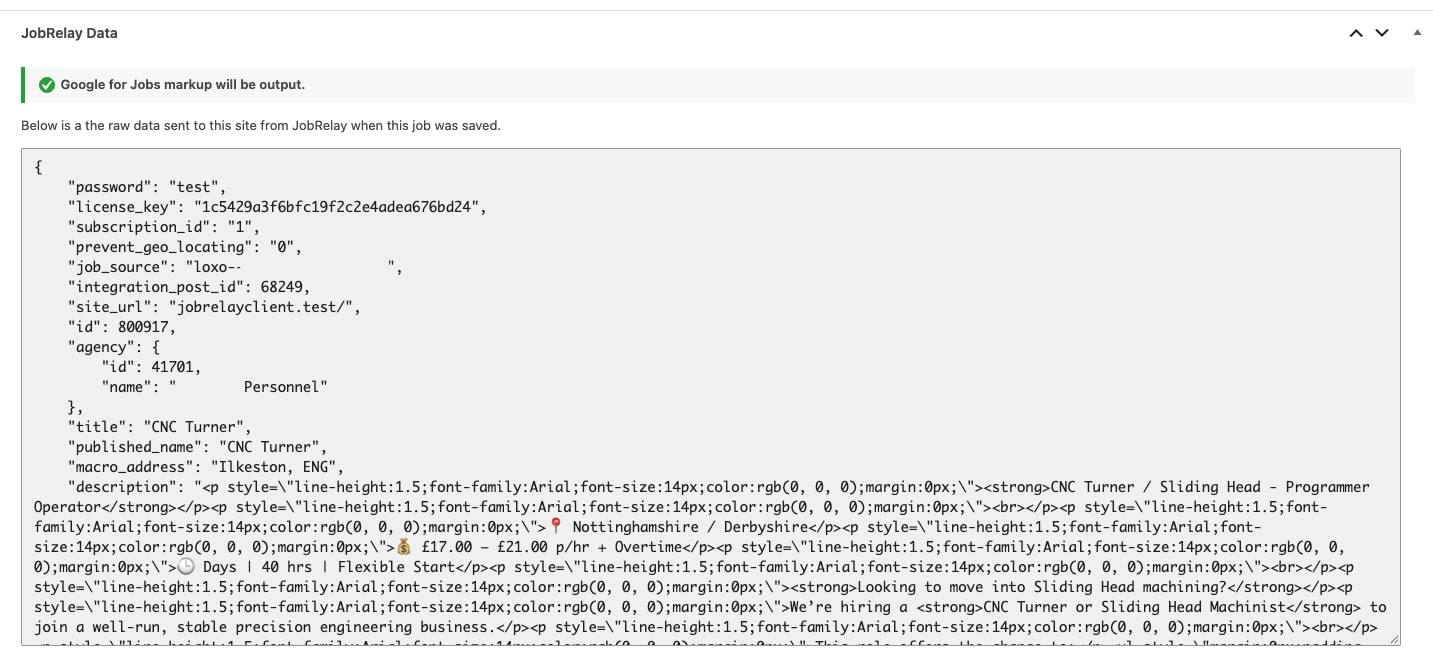
JobRelay adds Google for Jobs markup to every job it sends to your WordPress website, built from the job data your provider already sends. Tick one setting and your jobs are ready for Google, with nothing extra to fill in.
Included with JobRelay

Your WordPress site
Google job search
- Built from the job data JobRelay already sends
- One setting to turn it on
- A status icon on every job
The problem
Candidates search for jobs on Google first
Google shows jobs in its own job search box, right at the top of the results. To appear there, each job page needs structured data that tells Google the title, location, salary and who is hiring. Most recruitment websites don’t have it, or have it half filled in.
- Without markup, Google sees your job as just another web page
- Writing markup by hand for every job isn’t realistic
- Many providers don’t send everything Google requires
- Broken or duplicate markup gets flagged in Search Console
- Closed jobs left in Google send candidates to roles that have gone
How it works
From your provider to Google, with no extra work
- Tick Output Google for Jobs markup in your JobRelay settings.
- Post jobs from your provider as usual. JobRelay sends them to your website.
- JobRelay builds the Google for Jobs markup for each job and adds it to the job page.
- Google reads the markup and can show the job in its job search. When the job closes, the markup goes.
Built from your job data
Every field Google asks for, filled in for you
JobRelay builds the markup from the full job data your provider sends, not from your field mappings. So it works with any job board or custom post type, whichever fields you have mapped.
- Job title, description and date posted
- Town, region and country from the geocoded job location
- Salary, job type, closing date and job reference when your provider sends them
- Fully remote jobs marked as remote, with the country candidates must live in
- Your agency’s name and logo when a job has no company name
Know where you stand
A status icon on every job
Once the setting is on, a Google for Jobs column appears in your WordPress jobs list. Each job shows whether Google can read it, and hovering over the icon tells you why.
- Green tick: the job has Google for Jobs markup
- Amber warning: the job is missing something Google requires, such as a location
- Red cross: no markup by design, because the job is expired, filled or unpublished
Benefits
What Google for Jobs does for your agency
More candidates find your jobs
Your jobs can appear in Google’s job search, where many candidates start looking for work.
Applicants come to your website
Candidates click through from Google to the job on your own website, and their application goes straight to your provider.
No extra work for consultants
Post in your provider as usual. The markup is built for every job JobRelay sends, with nothing to fill in.
Only markup Google accepts
JobRelay checks each job has everything Google requires. If something is missing, it leaves the markup out rather than send Google something broken.
Closed jobs leave Google
When a job closes, expires or is filled, its markup goes, so candidates aren’t sent to roles that have gone.
Works alongside your job board
Already using WP Job Manager’s own Google for Jobs markup? Leave the setting off, or switch to JobRelay’s. Either way, Google only sees one set.
Setup
How to turn on Google for Jobs
It’s part of the JobRelay Connector plugin from version 1.8. If we look after your setup, we can turn it on and check it for you.
- Update the JobRelay Connector plugin to version 1.8 or later.
- Go to Settings > JobRelay Settings and tick Output Google for Jobs markup.
- Add your agency’s name, website and logo for jobs sent without a company name.
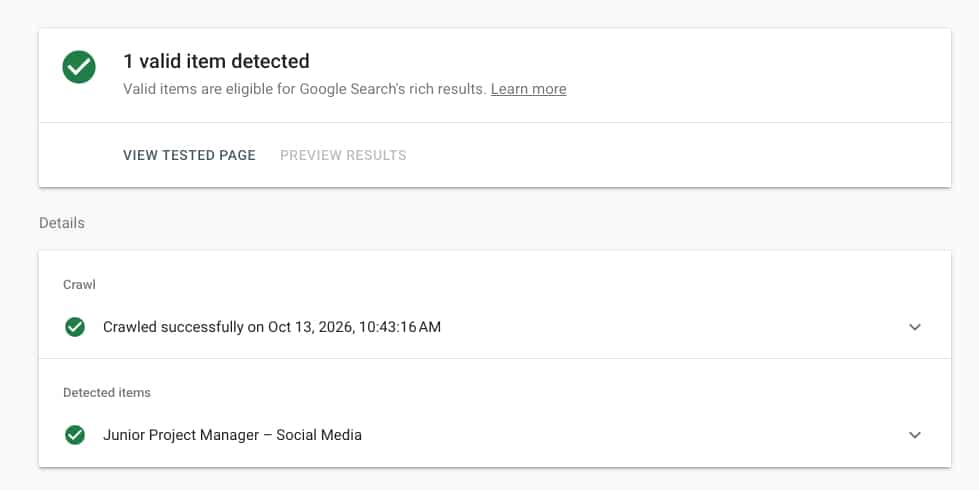
- Test one job page in Google’s Rich Results Test.
- Watch your jobs appear in Search Console’s Job postings report.
To get started
1 setting
to tick in your JobRelay settings. Every live job is covered straight away.
- No developer needed
- Off until you turn it on, so nothing changes by surprise
Simple plans. Unlimited jobs.
Flexibility
Monthly
£49 / month
- Unlimited jobs
- Pay month to month
Best value
Save £169 a year
Annually
£419 / year
- Unlimited jobs
- Works out at £35 / month
Need licenses for several sites? Contact us about bulk pricing.
Google for Jobs FAQs
It’s Google’s job search. When someone searches for something like “site manager jobs in Harlow”, Google can show a box of matching jobs above the normal results. Candidates can filter by location, date posted and job type, then click through to apply.
Yes. Google for Jobs markup is part of the JobRelay Connector plugin, so there’s nothing extra to pay. Google doesn’t charge to show jobs in its job search either.
Google decides which jobs to show, so nobody can promise that. The markup makes each job eligible, and JobRelay only outputs markup that meets Google’s requirements. New jobs usually take a few days to appear, and Search Console’s Job postings report shows what Google has found.
WP Job Manager already outputs its own Google for Jobs markup from your mapped fields, so you can leave the setting off. If you’d rather use JobRelay’s, turn WP Job Manager’s off first. Two sets of markup on one page can confuse Google.
Pick one. Either leave JobRelay’s setting off, or turn your job board’s markup off and tick JobRelay’s. The setup guide shows how to turn it off in the most popular job board and SEO plugins.
Yes. It works with every provider JobRelay connects to. Some don’t send a company name, so your agency’s details are used instead. Salary is only included when the amount, currency and pay period are all sent. XML feed jobs aren’t geocoded, so they need a clear location to get markup.
The markup is removed as soon as the job is closed, expired, filled or unpublished, so Google stops showing it. Google says expired jobs shouldn’t carry markup.
Yes. Jobs with a working arrangement of Remote are marked as remote, with the country candidates need to be in. Hybrid jobs keep their normal address, as Google asks.
Only jobs sent by JobRelay get markup, because the markup is built from the data JobRelay sends. Jobs you add by hand are left alone.
Each job in your WordPress jobs list shows a green tick, amber warning or red cross. To double-check, paste a job’s address into Google’s Rich Results Test and look for one Job posting with no errors.