Integrate Loxo with WordPress
Automatically sync Loxo jobs to your WordPress website.


Manually posting jobs from Loxo to your website is time-consuming, error-prone, and completely unnecessary.
JobRelay connects Loxo directly to WordPress, ensuring every job you create, update or remove is automatically reflected on your website – without manual work or custom development.
✅ Loxo remains the source of truth
🔁 Nothing gets posted twice
➕ Add, update and delete jobs
The problem with manual Loxo job posting
Many recruitment teams still manage their website jobs separately from Loxo.
That usually means:
- Manually copying and pasting jobs into WordPress
- Forgetting to remove filled roles
- Out-of-date listings which damage trust
- Candidates applying for jobs that no longer exist
Over time, the website becomes unreliable – not because people don’t care, but because manual processes always break.
How JobRelay Integrates Loxo with WordPress
JobRelay sits between Loxo and WordPress, acting as a reliable, automated bridge.
Here is how it works:
✍️
Jobs are created and managed in Loxo
↗️
JobRelay pulls jobs from Loxo on a schedule
💾
JobRelay saves jobs as native WordPress posts
🔁
Updates & removals are automatically reflected
Native WordPress jobs (not embedded)
Jobs synced from Loxo are stored as real WordPress content, not iframes or external embeds.
Unlike other integration options, which primarily display Loxo jobs by pulling them via the API into a plugin-managed job listing view, JobRelay imports Loxo jobs directly into WordPress as real content.
While some other options do create a dedicated job post type, JobRelay is more flexible. It can sync Loxo jobs into any post type, including an existing job post type you already use.
That means if your site is built on a popular job board plugin like WP Job Manager (and relies on its add-ons for applications, alerts, job packs, paid listings, etc.), JobRelay works with that setup out of the box, without forcing you into a separate job structure or replacing your existing workflow.
This means:
- Full control over design and layout
- SEO-friendly job pages
- Compatibility with WordPress job board plugins
- Jobs can be displayed anywhere on your site
JobRelay works seamlessly with:
- RecPress (if you need a complete job board)
- WP Job Manager
- Custom job post types
- Bespoke WordPress builds

Candidate applications tracked back to Loxo
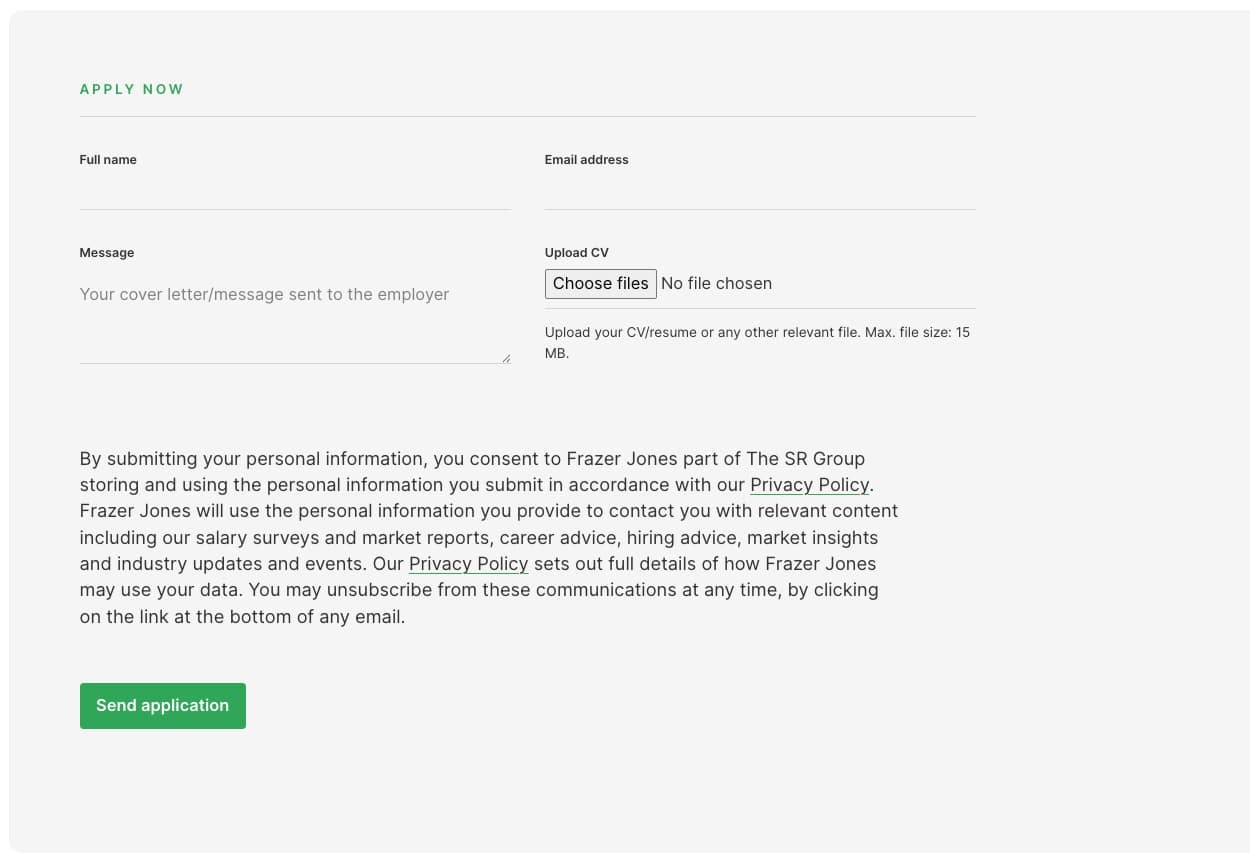
When candidates apply via the JobRelay application form, applications are automatically tracked back into Loxo.
This ensures:
- No lost applications
- Consultants work in one system
- Website applications sit alongside job board applications
- Accurate reporting and candidate tracking
Your website becomes a first-class recruitment channel.
Why use JobRelay instead of a custom integration?
Loxo offers APIs, but building and maintaining a custom WordPress integration comes with long-term risk.
JobRelay removes that risk.
With JobRelay you get:
- Native WordPress jobs stored on your website – on iFrames or embeds
- No custom development
- No fragile API code to maintain
- Faster time to launch
- Ongoing support and updates
- An integration purpose-built for recruitment websites
It’s the simplest, safest way to connect Loxo to WordPress.
Setup & installation process
Getting started is straightforward.
Typical setup steps:
- Purchase a JobRelay licence
- Install the JobRelay WordPress connector
- Configure job field mappings (handled by the JobRelay team)
- JobRelay completes some setup on your Loxo account
- The JobRelay team complete the connection in the JobRelay system
- Jobs begin syncing when published to JobRelay from Loxo
⏰ Typical timescale
The JobRelay team can have your WordPress site ready in a matter of hours.
After submitting your integration request to Loxo, typically you are ready to use the integration in less than a day.
😎 Rest assured as the JobRelay team handle the entire integration process for you.
Get started with Loxo + WordPress
If you’re using Loxo and WordPress, JobRelay removes the need to manage jobs in two places.
Connect Loxo to WordPress once — and let it run automatically.
What our customers say
⭐️⭐️⭐️⭐️⭐️
Before JobRelay, there was so much extra effort involved in posting jobs to our own website, that we just didn’t do it, leading to an empty jobs page!The JobRelay integration paid off from the very first month.
We’re now seeing candidates returning to the website, helping us to build trust and authority.
Harry Loft, Marketing Manager at Crewit Resourcing UK
⭐️⭐️⭐️⭐️⭐️
JobRelay makes connecting your WordPress recruitment website to Broadbean simple and straightforward.Mark also provides excellent support. Highly recommended!
Laurence Doherty, Founder of Talent Sites
⭐️⭐️⭐️⭐️⭐️
JobRelay is an easy to use plugin for our website, Connect Driver Solutions.Since working on the site, I’ve experienced very little in ways of problems. When I did experience issues, Mark of JobRelay was very patient, understanding, and helpful in getting it resolved.
Thank you for the fantastic support!
Holly Fleming, Marketing Assistant for Connect Driver Solutions
Pricing plans
Monthly and annual plans to suit you.
Flexibility
Monthly
£49 / month
Unlimited jobs
Best value
Annually
£419 / year
Unlimited jobs
🤝 Money-back guarantee
We are so confident in JobRelay that if you are not satisfied with it, we offer a 100% money-back guarantee in the first 30 days.
Frequently asked questions
Below are some Loxo specific frequently asked questions. You can also view all the frequently asked questions.
Loxo do not charge a fee for enabling access to the necessary APIs.
Each job has a set list of data that arrives in WordPress as well as some custom options should clients which to use them.
For JobRelay to save the incoming job data, fields you want to be saved need to be mapped to WordPress data on the JobRelay settings page.
Some data is auto-mapped and you can manually map incoming data to post meta (custom fields) or taxonomy terms.
When jobs are added, updated or removed, Loxo sends this update to JobRelay and that change is automatically reflected on your site.
Jobs synced via JobRelay are saved as native WordPress posts, not embeds or iframes.
This means:
- You control the design and layout
- Jobs work with your existing theme
- They are SEO-friendly
- They can be filtered, searched, and styled like any other WordPress content
JobRelay does not control how jobs look — it integrates with your existing setup.
You need either:
- A WordPress job board plugin, or
- A custom job post type
If you don’t already have this in place, JobRelay can work alongside an existing solution or a job board can be provided as part of the setup, using RecPress.
No.
The JobRelay team handles:
- Installing the connector
- Configuring job field mappings
- Coordinating with Loxo’s integration team
No custom development is required from your side.
That’s not a problem.
JobRelay is designed to work with standard and bespoke WordPress builds. Job field mappings can be configured to match your existing structure.
If you have specific requirements, these can be discussed during setup.
Yes.
Staging or development environments can be used during setup, provided they meet the technical requirements (including HTTPS).
Once your site goes live, the site URL will need changing in both your JobRelay and Loxo accounts.
Yes.
JobRelay includes ongoing support and maintenance to ensure the integration continues to work as WordPress, Loxo, and related systems evolve.
JobRelay will pull your live, open roles from Loxo each time it receives a request indicating that a job has been added, updated or removed.
In order for JobRelay to interact with your Loxo account, you needed to create a bearer token from within your Loxo account.